Home
Shop
Wishlist0
Site Logo

Your Independent Computer Shop Since 1997

Products to Boost! Macs, laptops, desktops, servers, backup systems and more...

Site Logo

[3 Products shown below for this Category]

SSD and Drives Optical Bay OWC Data Doubler

SSD and Drives Optical Bay OWC Data Doubler

Overview

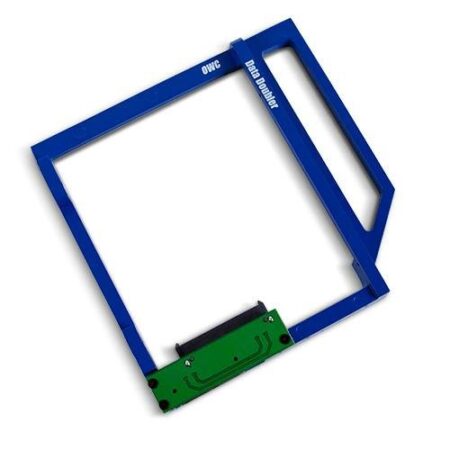
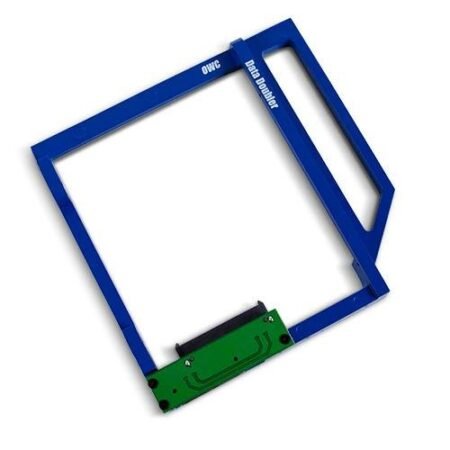
The OWC Data Doubler is an innovative solution that allows you to install an additional SSD or hard drive in the optical bay of your MacBook. This means you can significantly increase your storage capacity without sacrificing your existing drive.

Benefits

  • Enhance your MacBook’s performance with faster SSD speeds.
  • Easy installation process with all necessary tools included.
  • Compatible with a wide range of MacBook models.

Installation Instructions

Follow these simple steps to install your OWC Data Doubler:

  1. Power down your MacBook and remove the battery.
  2. Carefully remove the optical drive.
  3. Insert the SSD or hard drive into the Data Doubler.
  4. Secure the Data Doubler in the optical bay.
  5. Reassemble your MacBook and power it on.

Products

Show

Other World Computing Watt-Hour

Other World Computing Watt-Hour

Other World Computing OWC Data Doubler Optical Bay Hard Drive/SSD Mounting Solution

SKU: OWCDDMM10CL0GB
$29.09

Other World Computing Watt-Hour

Other World Computing Watt-Hour

Other World Computing OWC Data Doubler Optical Bay Hard Drive/SSD Mounting Solution

SKU: OWCDDMMCL0GB
$21.38

Other World Computing Watt-Hour

Other World Computing Watt-Hour

Other World Computing OWC Data Doubler Optical Bay Hard Drive/SSD Mounting Bracket

SKU: OWCDIDIMCL0GB
$20.58

For Large Results Sets, use Filtering Option Below:

Filter Compatible Models under the Category

The Compatible Models for the Products listed above are shown below.
If you know the Machine Model, use it to further filter the list above and display only Products Compatible with that Machine.

Back to Top
Product has been added to your cart